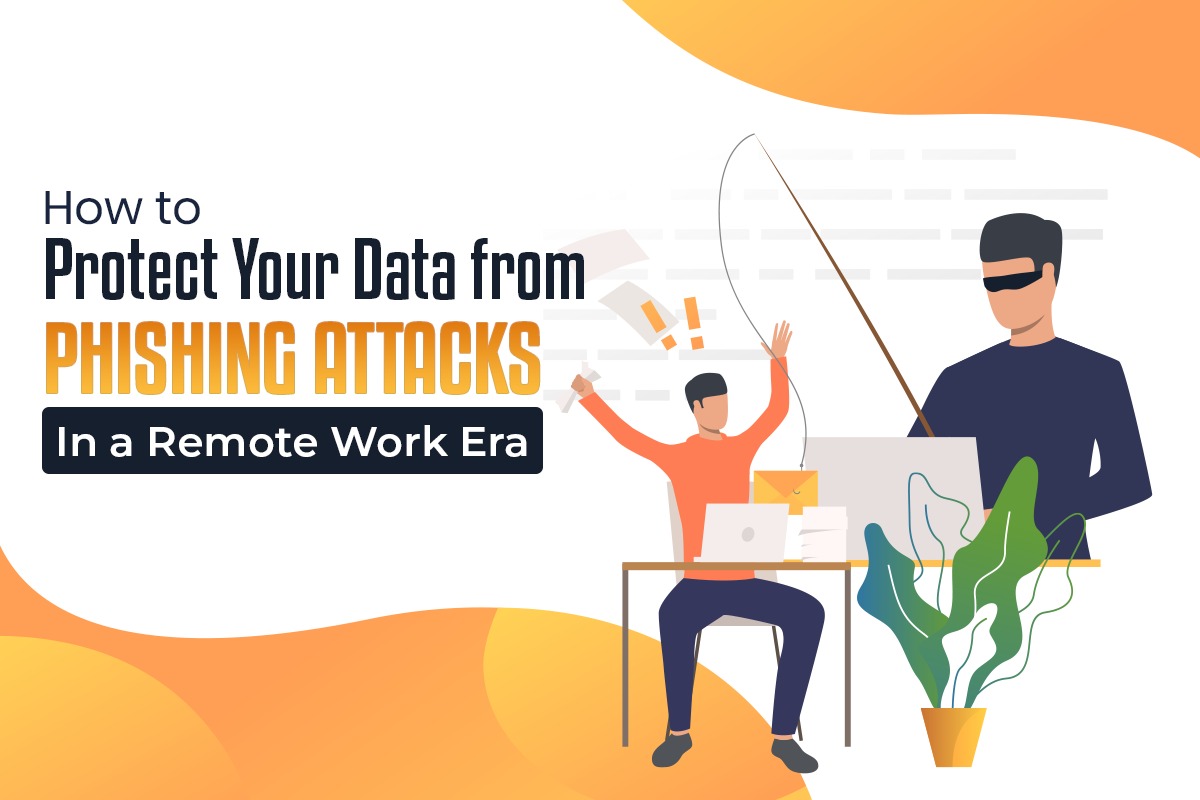
How to Protect Your Data from Phishing Attacks in a Remote Work Era
Madhurima Bhattacharjee
20th January 2025
Introduction to Phishing Attacks in Remote Work
Because of the increasing trend of remote work, cybercriminals are taking advantage of the situation to attack remote workers using phishing attacks. Phishing messages are constructed in such a way as to induce the recipient to supply and/or access privileged information or malicious links. To prevent phishing attacks, remote workers need to be constantly watchful and aware. This article highlights the best anti-phishing software for businesses, offers phishing protection tips, and provides some "light a lamp" instances of how one might help combat cybercrime.
The Rise of Phishing Attacks in Remote Work Environments
Introducing telework has opened up new attractive areas for the perpetrators of crime against computers. Workers at home tend to be using devices from personal ownership and unprotected networks so systems are easy for attackers to compromise. According to cybersecurity reports, phishing attacks have surged, with remote workers being prime targets.
Why Remote Workers Are Targeted More Than Ever
Remote workers are targeted more due to:
- Unsecured Connections: Home Wi-Fi is usually more compromised than LANs.
- Increased Communication via Emails: Phishing emails are the blood of telecommuters and so are the attack techniques increasingly aimed at the crowd.
- Lack of Immediate IT Support: In the event of likely risks, as early assistance may be scarce, their identification may be postponed with the identification of potential risks.
Common Signs of Phishing Emails
A phishing email is usually easy to spot that remote worker should watch out for, such as:
- Generic Greetings: “Dear Customer” instead of your name.
- Urgency or Threats: Messages claiming account suspension or urgent action required.
- Suspicious Links: URLs that don’t match the sender’s domain.
- Attachments: Files with uncommon extensions like .exe or .scr.
- Grammatical Errors: Poorly written messages with spelling mistakes.
How to Spot Suspicious Emails and Links
Spotting phishing attempts requires a cautious and methodical approach:
- Hover Over Links: Check the actual URL before clicking.
- Verify Sender Information: Confirm the email address is legitimate.
- Look for Red Flags: Unusual requests, such as sharing passwords or personal details.
- Avoid Clicking on Attachments: Unless you trust the sender and expect the file.
- Check for HTTPS: Website, data collection, secure, and start with "https://."
Preventing Phishing Attacks
Prevent phishing attacks by implementing the following measures:
- Educate Employees: Regular training on phishing tactics and prevention.
- Enable Two-Factor Authentication (2FA): Adds an extra layer of security.
- Use Email Filters: Automatically detect and block phishing attempts.
- Regularly Update Software: Patches vulnerabilities that attackers exploit.
Best Practices for Avoiding Phishing Scams
- Think Before Clicking: Do not open links or attachments from unknown sources.
- Verify Requests: Confirm requests for sensitive information through alternative communication channels.
- Stay Updated: Make software and systems current with the latest vulnerability updates up ups.
- Report Suspicious Activity: Notify your IT department or service provider immediately.
How to Choose the Right Anti-Phishing Software for Your Business
The best anti-phishing software for businesses should offer:
- Real-Time Threat Detection: Identifies and neutralizes phishing attempts immediately.
- User-Friendly Interface: Easy for employees to use and understand.
- Integration with Existing Systems: Seamlessly works with current tools and platforms.
- Comprehensive Reporting: Provides detailed insights into threats and protection measures.
Key Features and Benefits of Anti-Phishing Tools
An example of an anti-phishing tool countermeasure illustrates an effective countermeasure against pharming attacks. Here are some key features to look for:
- Email Scanning: Automatically scans incoming emails for malicious content.
- AI-Powered Detection: Uses machine learning to identify new phishing tactics.
- Threat Alerts: Sends notifications for any suspicious activity.
- Multi-Layered Protection: Protects against phishing, malware, and other cyber threats.
Anti-Phishing Software Examples
- Mimecast: Offers comprehensive email security and anti-phishing protection.
- Proofpoint: Focuses on threat detection and data loss prevention.
- Barracuda Networks: Provides email filtering and real-time threat intelligence.
Conclusion
Phishing attacks against remote working are unavoidable if the employee is to be kept safe and the employer is to be protected. Detection of phishing email indicators, use of phishing protection tips, and use of e-company-based anti-phishing tools can be put into use to ensure a safe working environment for employees who are working from home. The most efficient means of protecting the (information) that an individual possesses, and, in so doing, establishing a (safe) digital workplace, is to be aware and act accordingly.
Views (24)
Comments (0)
Duration (0)



.jpeg)


 Facebook
 Instagram
 WhatsApp
 Linked in
 Twitter
 Reddit
Comments (0)
Write a Comment