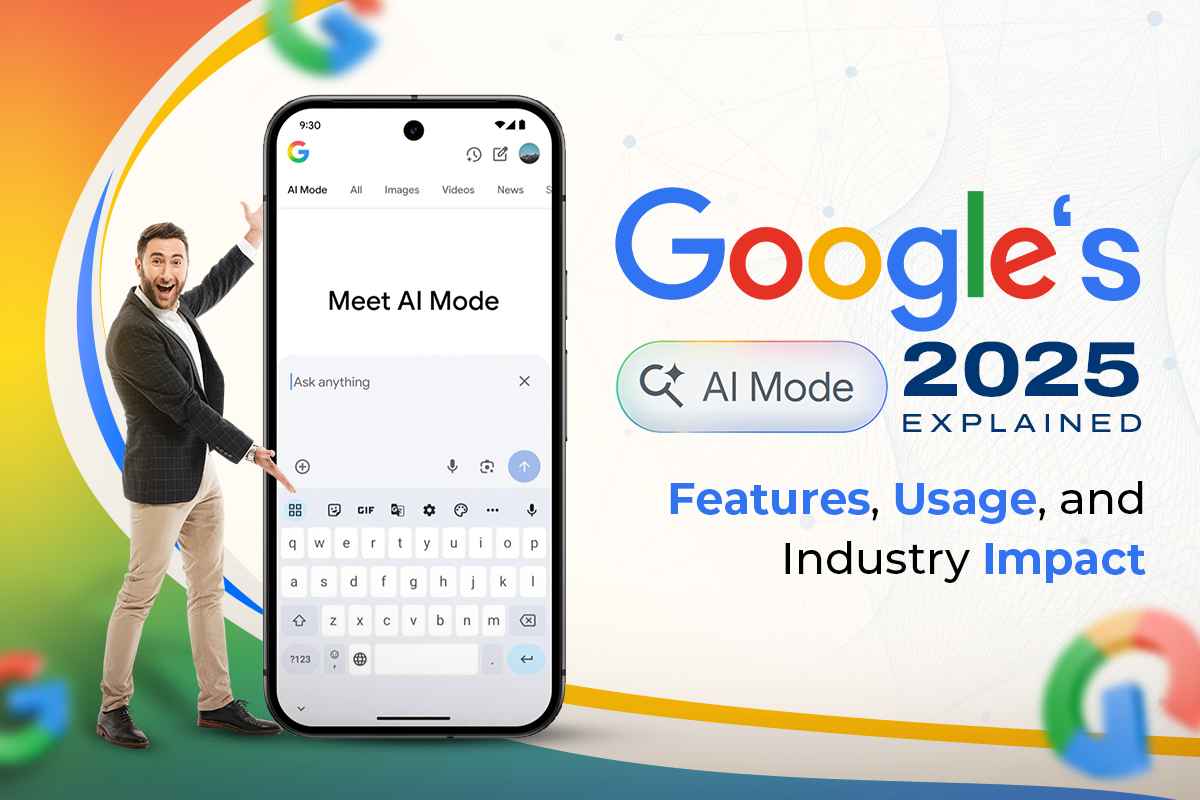
Google’s AI Mode in 2025 Explained: Features, Usage, and Industry Impact
Souvik Karmakar
17th July 2025
Google’s new feature, AI mode, is not a gimmick. The entire system undergoes a quiet but deliberate transformation. Its purpose is clear: to reshape how people engage with technology. The aim is not just to make AI functional, but ambient—ever-present, quietly responsive, and attuned to digital context.
There isn't a lot of hype when AI mode is turned on. It comes as a natural step forward.
What is Google's AI Mode?
AI mode is Google's newest and maybe one of the best ways to use artificial intelligence. It's not just one app or tool; it's a smart layer that works with all of Google's products.
It knows what's going on in the room.
(Digitally speaking—it interprets signals from user interactions within Google services, not physical surroundings.)
It can tell how fast your workday is going. It replies with the right amount of weight.
When AI mode is activated, it enhances services like Gmail, Chrome, Docs, and Android with subtle intelligence. These tools begin to anticipate your needs—often before you express them. The system adapts, observes, and responds not only to commands but to habits, priorities, and intent.
Main Features
The experience is refined and effortless. Its intelligence feels embedded, never intrusive. Across platforms, the features reflect a thoughtful balance of precision and restraint.
- Contextual Intelligence: It studies what you do, how you do it, and often, why. At the right moment, it offers concise, relevant guidance—never more than needed, never less.
(Context is based on activity within the digital ecosystem—not physical presence or emotion.)
- Multimodal Input: Can understand speech, touch, images, and text just as well. Interaction becomes calm and fluid.
- AI Writing and Composing: Drafts with tone. Gives help with language. Makes it easier to talk to each other.
- Live Summaries: Make meetings, publications, or papers easier to read by shortening them. You gain additional time while maintaining focus on the primary goal of the task.
- Proactive Help: Alerts. Reminders. These are gentle pushes in the right direction.
None of this is too much. It softly makes things better. This feature assists rather than obstructs.
How to Use It Every Day
AI mode fits right into the day's routine. It helps with personal responsibilities. It makes professional flows better. It respects people's attention.
In everyday life:
- Gmail's auto-generated responses feel like they come from a real person.
- Translation on the gadget includes more than simply meaning.
- Lens makes search smarter—it's less about finding and more about understanding.
(Most new features begin in English; other languages and regions are being added over time.)
In professional workflows:
- Meeting notes that have been summarized and turned into outlines.
- The recommendations for content are accurate and not merely generic.
- It provides real-time support for coding, formatting, and editing, which is light, unobtrusive, and available when needed.
Yes, it is an assistant. But it's more than that. It is being there without feeling like you have to.
(AI mode must be enabled—some features depend on user consent and may require opting in.)
Easy Integration Between Platforms
One of the most intriguing things about AI mode is how it moves with you. The intelligence doesn't start again with each gadget. It follows, listens, and syncs.
- Android 15+: AI features are included in the OS. Screens are looked at and summed up. Notifications are sorted. Everything seems more important.
- Google Workspace: Docs might indicate a tone. Sheets figures out what you mean. Create a preliminary structure for your presentations. Making things becomes a discourse.
- Chrome Browser: Reading is easier. You may summarize pages, see previews of links, and answer questions all in the frame.
There isn't a big change in design. It is a tightening of each screw. Things seem more in order.
The effects on the Industry
AI mode from Google is more than just a product. It is a symbol. Businesses are changing.
Important Changes in the Industry:
- Speeding Up Automation: Work that is done again and again fades. People increasingly shape things instead of driving them.
- New UI/UX Standards: Interfaces are softer and more predictive. Interactions start to change.
- Enterprise Adoption: The AI mode is revolutionizing decision-making and work processes across various industries, ranging from banking to healthcare.
Other businesses are taking action. Microsoft, Apple, and Amazon are all on the same path. But Google has the advantage of being able to integrate quietly. Google has been preparing for years.
Last Thoughts
Google's AI mode isn't very loud. It doesn't have to be. It is the outcome of careful, continuous iteration—a combination of prior tools that have been put together into something more cohesive.
This is not the future coming with fireworks. It represents technology improving gradually and unobtrusively. The notion of seamless, truly anticipatory digital “presence” is still being developed; AI Mode remains contextually smart, but its emotional capabilities are under development.
For users, it means being clear. It symbolizes focus for teams. For businesses, it's a challenge: they have to match this new standard or fall behind.
In 2025, we will no longer rely on AI. When you use Google's AI mode, it's always there, ready, listening, and geared to help.
Views (19)
Comments (1)
Duration (1)



.jpeg)


 Facebook
 Instagram
 WhatsApp
 Linked in
 Twitter
 Reddit
Comments (1)
Write a CommentKaran T 21 July 25, 13:31
Nicely Written